
See inside the club dashboard
A twelve-step walkthrough of how an Australian sporting club runs its whole volunteer program in VolunTeam — from season-long coaching roles to Saturday canteen shifts.
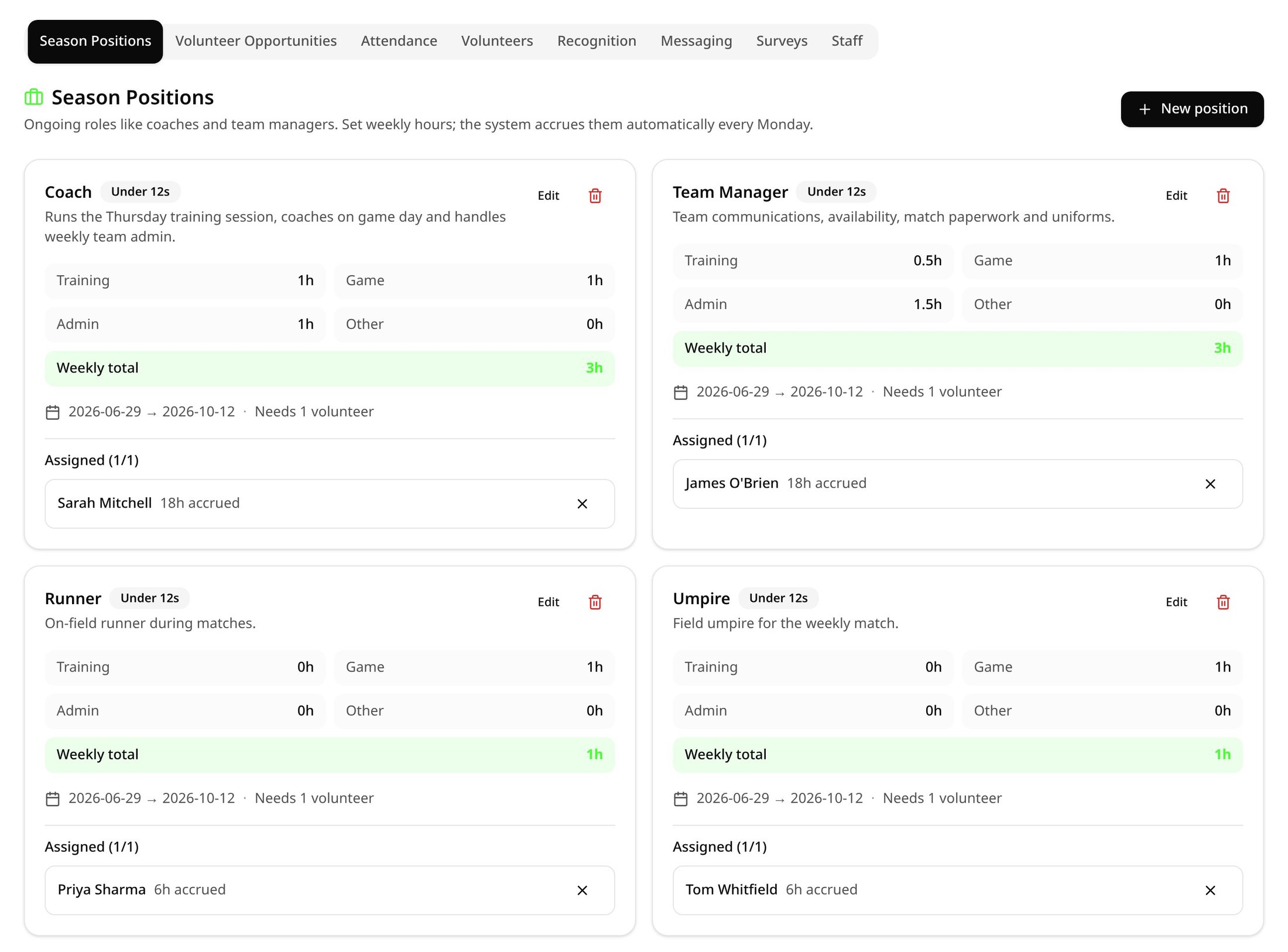
Season-long positions
Set up the jobs people do every week — coaches, team managers, scorers, timekeepers — with the hours they're worth.
- Allocate training, game day, admin and other hours per week
- Assign a volunteer for a date range across the season
- Hours accrue automatically every week — nobody has to log them
Game-day opportunities
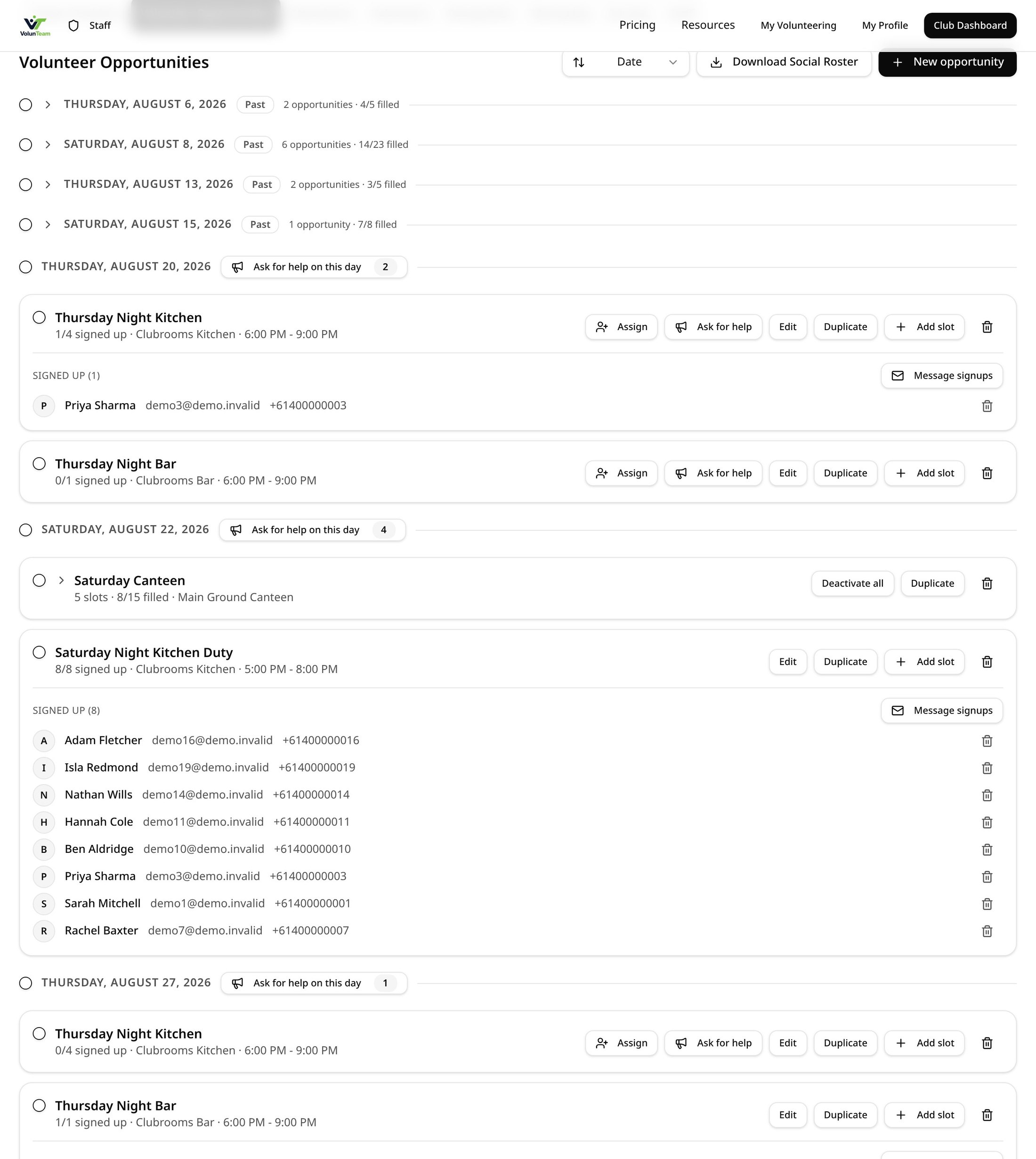
Build your canteen, gate, BBQ and bar roster in minutes, then let volunteers claim shifts themselves.
- Create multiple time slots in one go, grouped by date
- Name the jobs inside a shift — cashier, BBQ, runner
- Download a social-ready roster image to post straight to Facebook
Teams
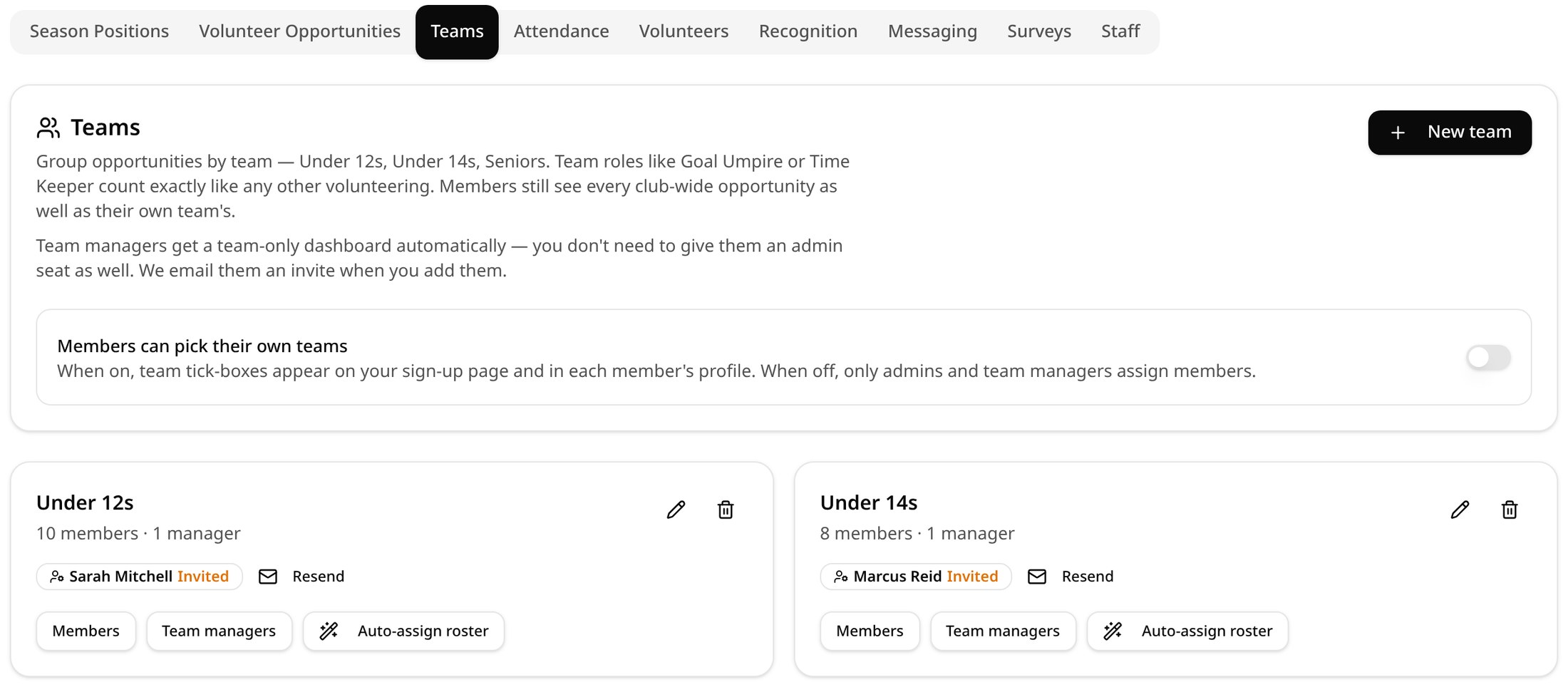
Run Under 12s, Under 14s and Seniors side by side. Team jobs only show to that team; club-wide shifts still go to everyone.
- Team roles like Goal Umpire or Timekeeper count exactly like any other hours
- Team managers get their own team-only dashboard — no extra admin seat needed
- Auto-assign a whole season's team roster, spread evenly, with a preview before you save
One volunteer record
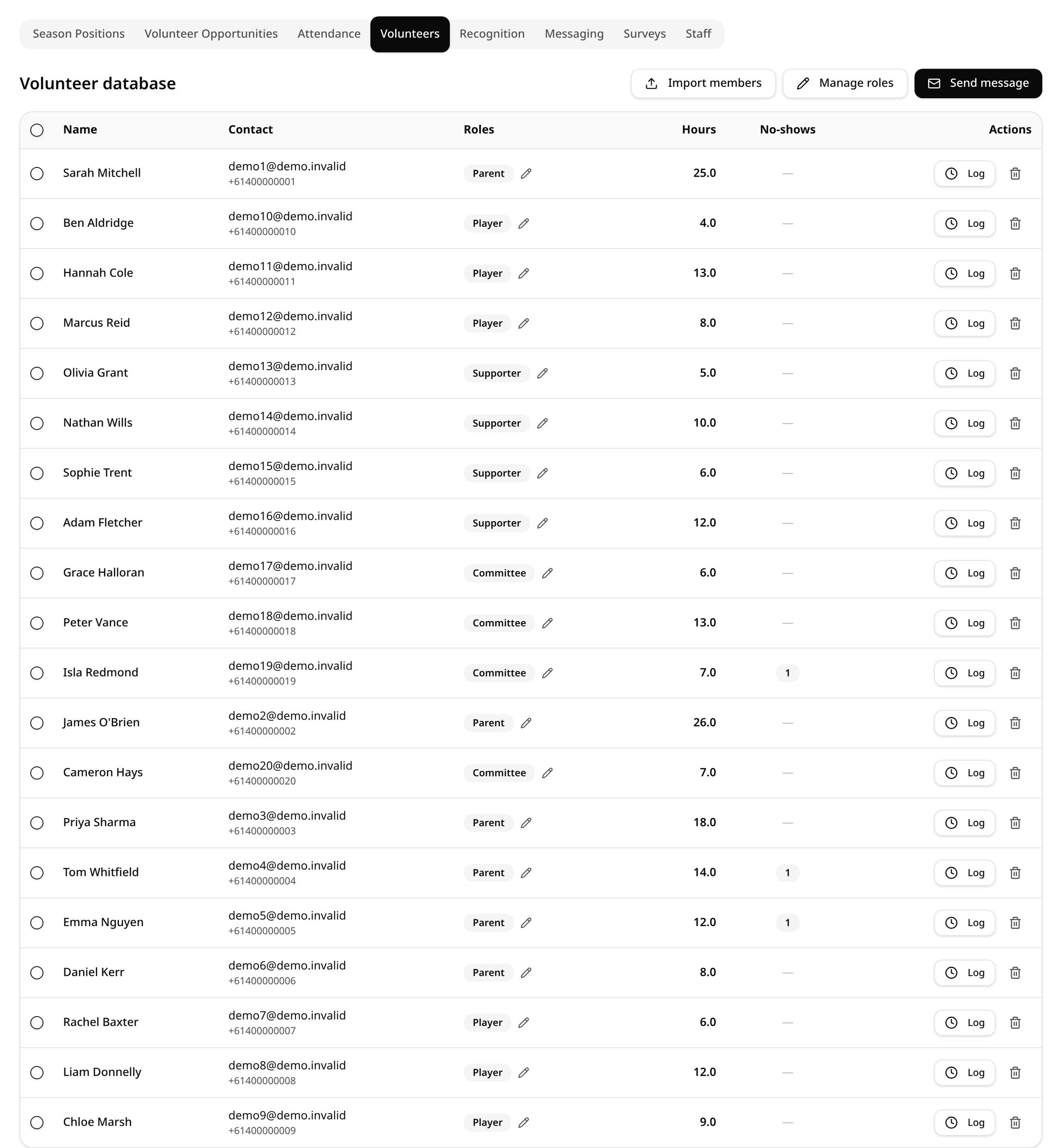
Every volunteer, their club role, teams, contact details and history in one searchable list.
- Bulk import your existing member list
- Click any name to see their full volunteer history
- Add people to teams straight from the members list, one at a time or in bulk
Messaging
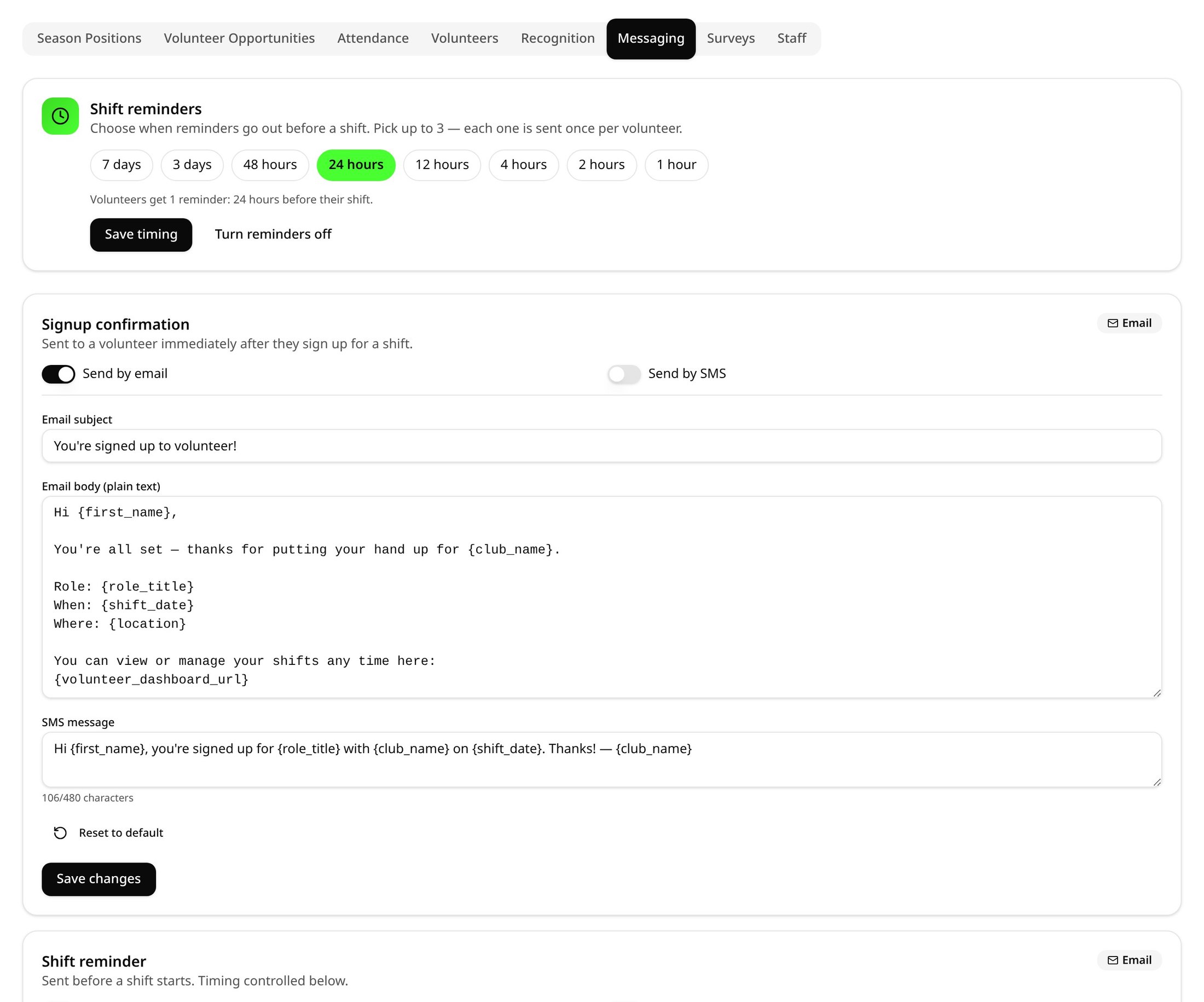
Email or SMS everyone — or just the people on a specific day, role or shift — from one place.
- Customise templates for signups, reminders, swaps and cancellations
- Choose up to three automatic reminder times before each shift
- Target by audience, date or roster slot so messages reach the right people
Surveys
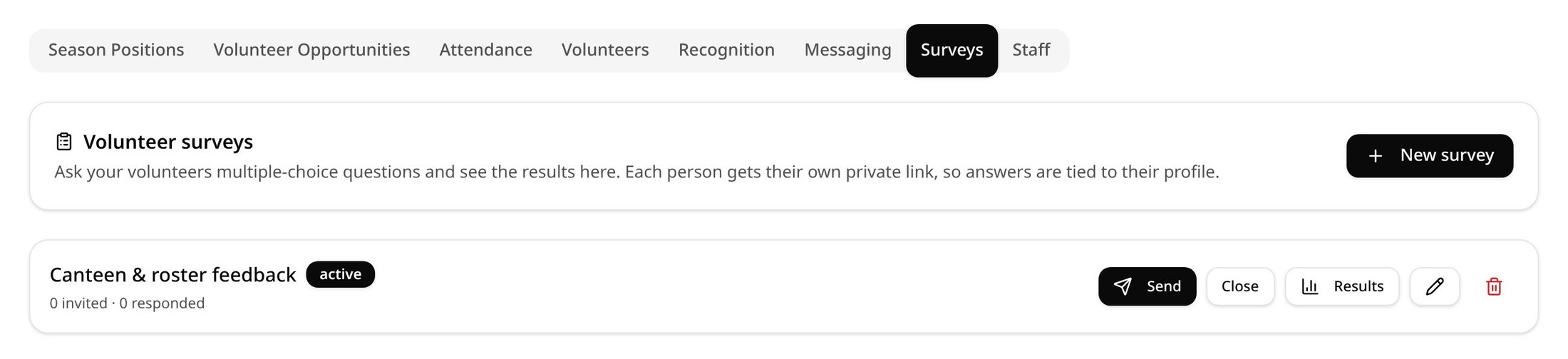
Ask volunteers what you need to know with multiple-choice surveys and see results in real time.
- Build up to eight questions with up to six options each
- Send to all members, a specific day or individual roster slots
- Track opens and responses and send reminders to non-responders
Sign in and out on the day
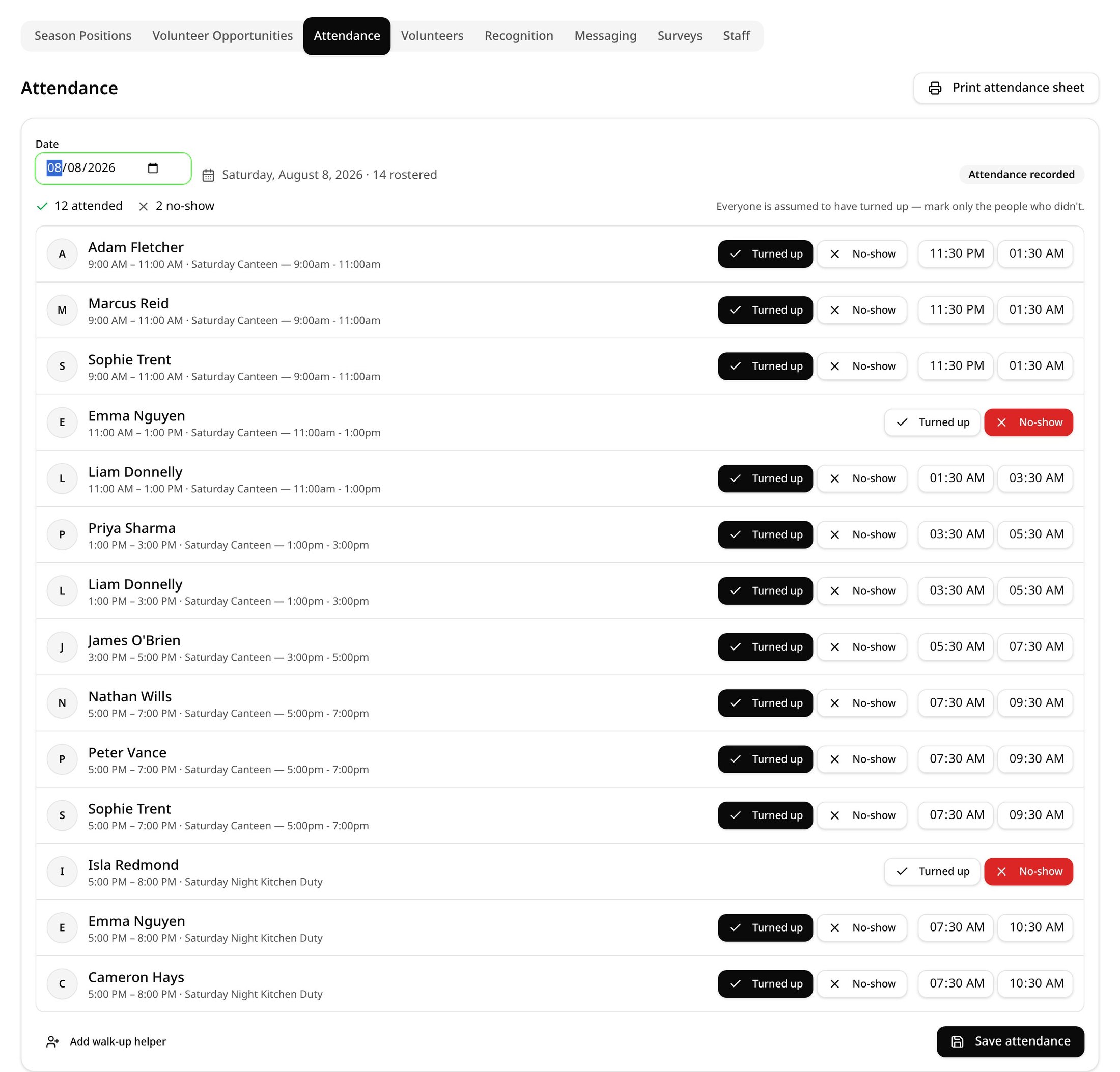
Print a sheet or tick people off on your phone, and hours are logged for everyone who turned up.
- Mark attended or no-show for each person on the roster
- Add walk-up helpers who weren't rostered
- Hours flow straight through to the leaderboard
Hours and leaderboards
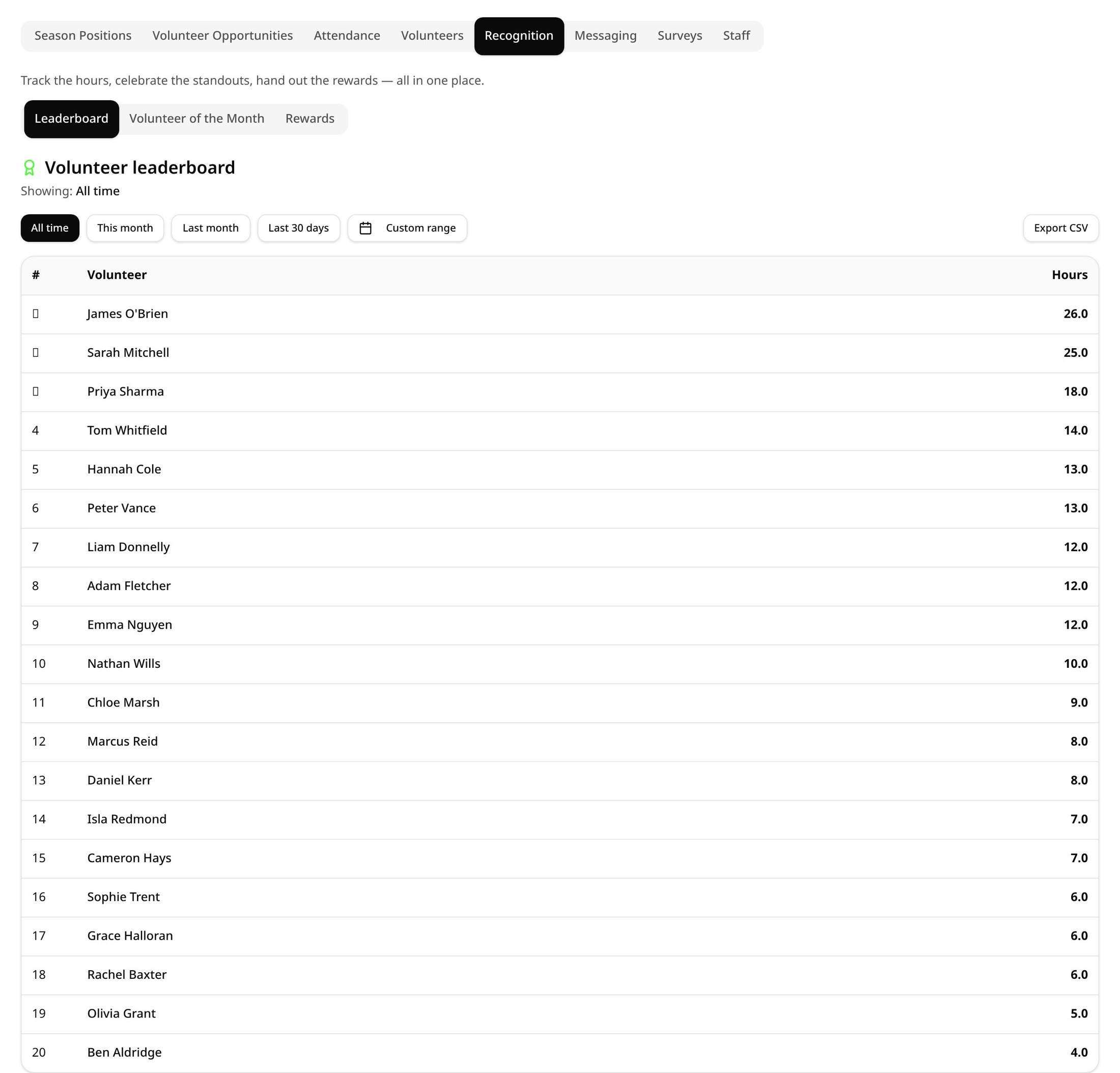
Know exactly who is carrying the club — and prove it at your AGM or in grant applications.
- Filter by date range and export to CSV
- Season capacity, hours to fill and unfilled hours at the top of the dashboard
- Combines season position hours, team roles and game-day shifts
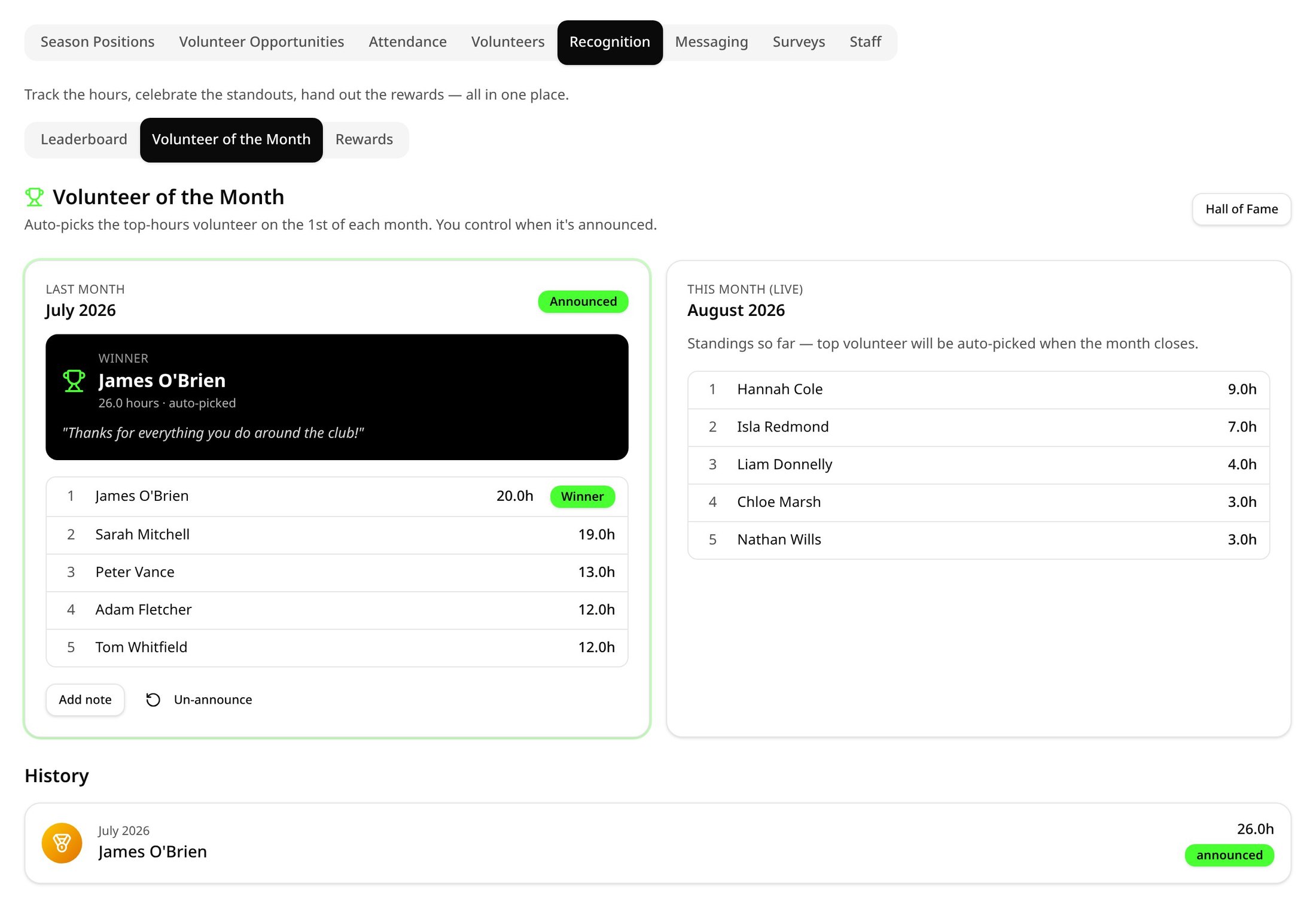
Volunteer of the Month
Recognition on autopilot. Each month VolunTeam picks a standout volunteer from logged hours.
- Auto-pick or choose your own winner
- Winner gets an email announcing the news
- Every winner lands on your public Hall of Fame page
Rewards that say thank you
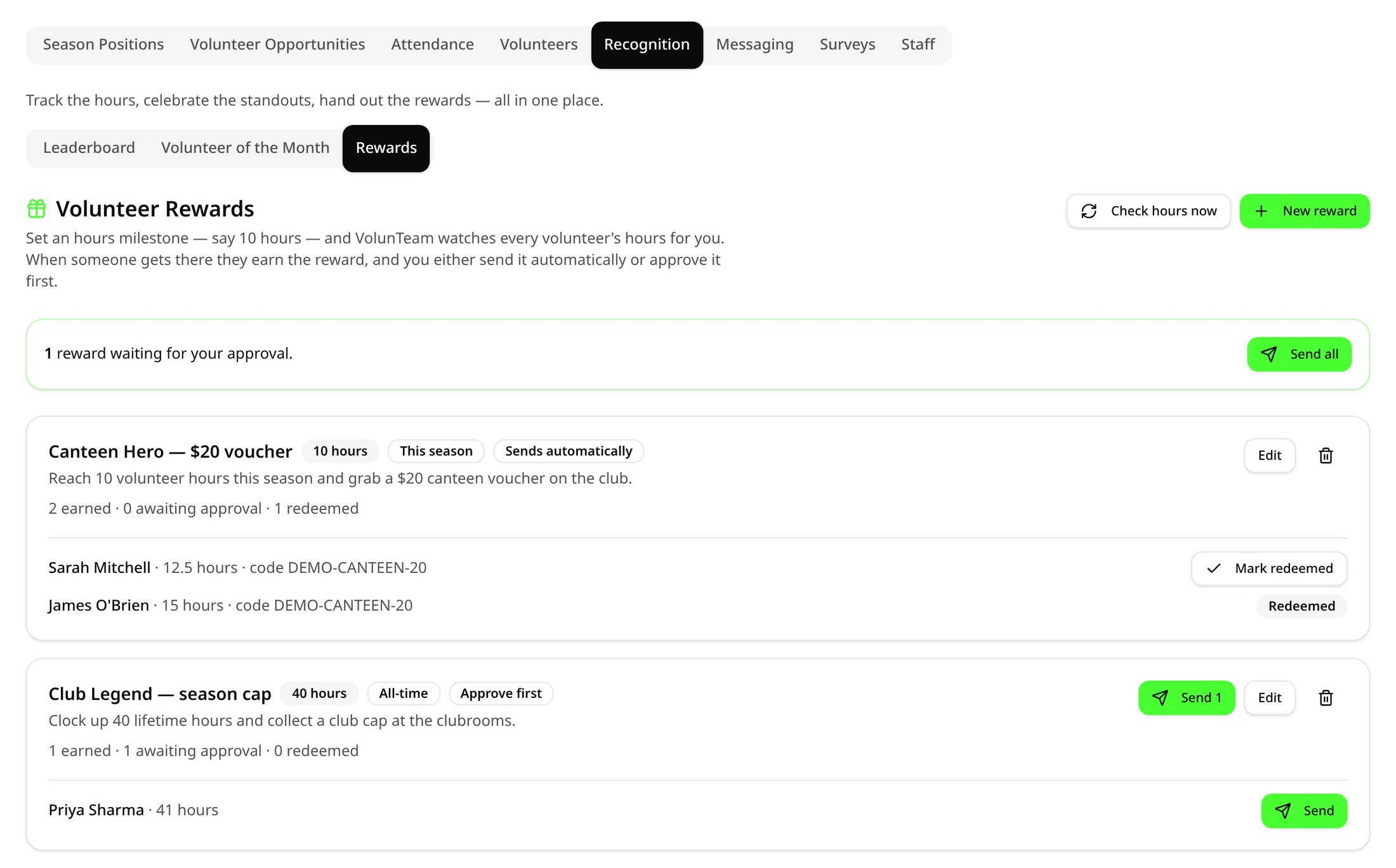
Set hour milestones and VolunTeam does the thanking — a canteen voucher, a club cap or a sponsor offer, issued automatically.
- Milestones like 10, 25 or 50 hours, for the season or lifetime
- Issue a shared code, a unique code per person or a sponsor voucher image
- Volunteers track their progress and print their voucher from My rewards
Season overview and certificates
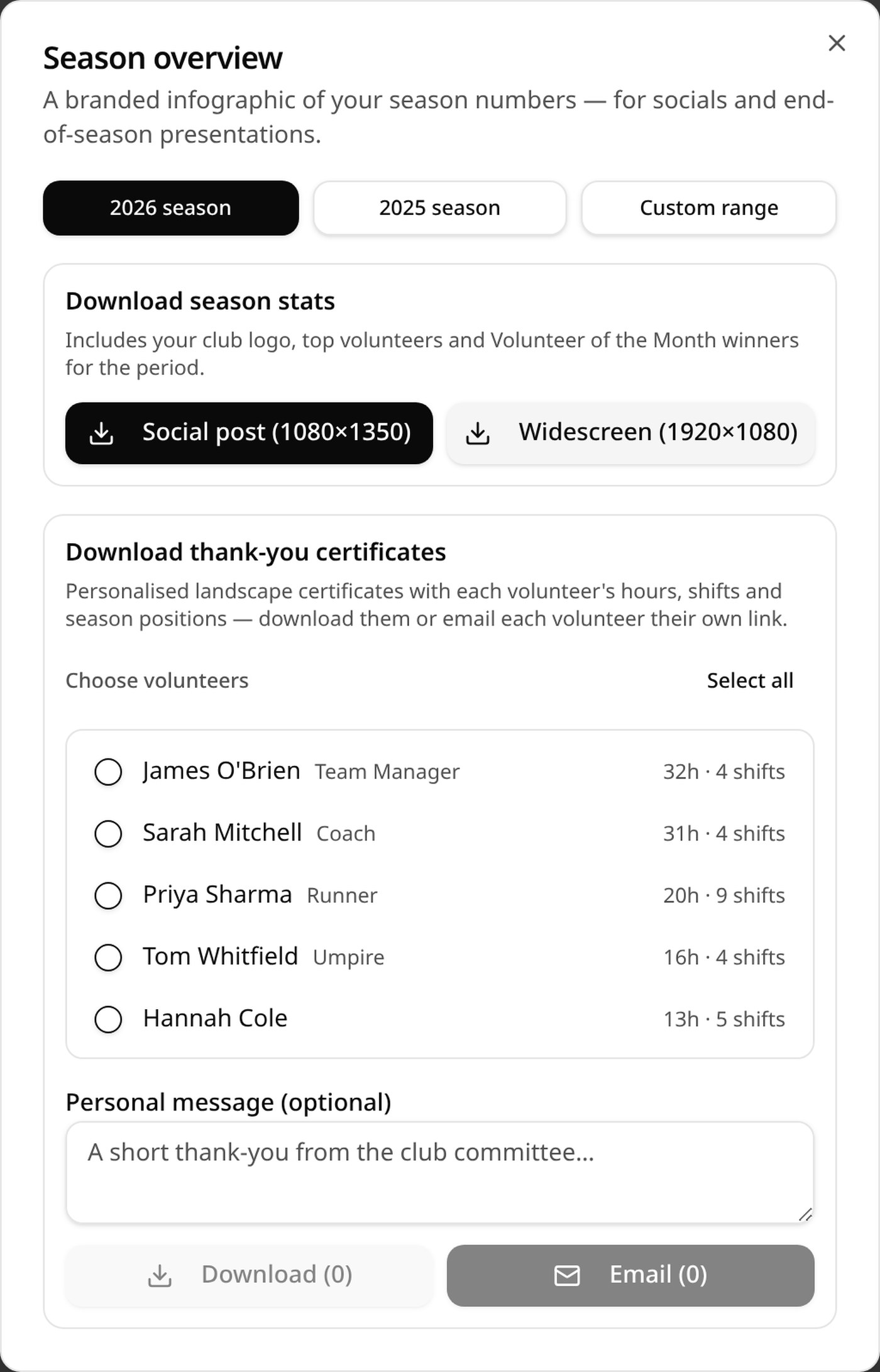
End the season with something to show for it — a branded stats infographic and a personalised thank-you certificate for every volunteer.
- Season or custom date range, with your club logo, top volunteers and monthly winners
- Download as a social post or widescreen image for your presentation night
- Landscape thank-you certificates with each person's hours, shifts and season positions — download or email them out
Your public sign-up page
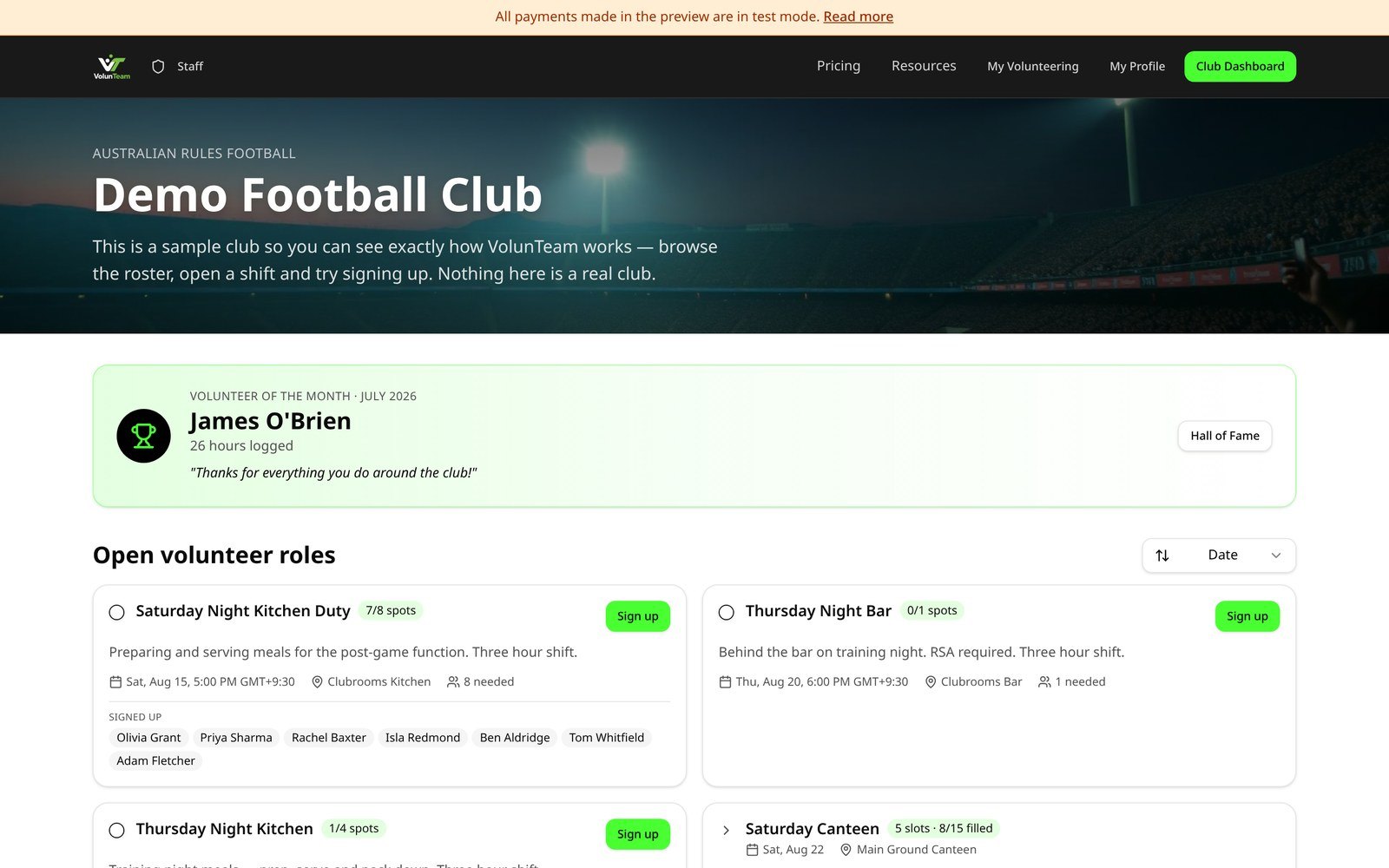
Share one clean link (or a QR code poster) and volunteers sign up in under a minute — no app, no account needed.
- Clean address like volunteam.com.au/your-club
- Printable A4 flyer and social post with your club logo
- Volunteers see every club they help at in one dashboard
Ready to set your club up?
Start with a 14-day free trial — no card needed — then $59/month or $500/year for everything.